

Download StuffIt Expander 16 – Free, Secure Archive Extractor for Windows & macOS
Overview
StuffIt Expander 16 is a long‑standing archive management tool that specializes in decompressing the proprietary StuffIt formats while also supporting a broad range of popular containers such as ZIP, RAR, 7‑Z, TAR, GZIP and many more. The utility is designed for both Windows and macOS users who need a reliable, free solution to “expand” compressed archives into usable files without the need for a paid subscription. Over the years, StuffIt has built a reputation for stability, and version 16 continues that tradition by offering a native, low‑overhead experience that integrates smoothly with the operating system’s file explorer.
Whether you are a graphic designer unzipping a large Photoshop project, a developer extracting source code bundles, or a casual user trying to open a .sit file sent by a colleague, StuffIt Expander 16 handles the job with a single click. Its interface is intentionally simple: drag‑and‑drop the archive onto the window or right‑click a file in Explorer and select “Extract with StuffIt Expander.” The tool then automatically detects the format, creates a folder with the same name as the archive, and places the extracted contents inside. While the software shines with standard compression methods, it can occasionally stumble on archives that use unconventional or corrupted compression schemes.
Nevertheless, for most everyday scenarios, StuffIt Expander 16 remains a dependable, free, and secure option that eliminates the need for multiple third‑party extractors.
Key Features and Capabilities
- Supports over 30 archive formats, including StuffIt (.sit, .sitx), ZIP, RAR, 7‑Z, TAR, GZIP, ISO, and more.
- Native drag‑and‑drop extraction for both Windows Explorer and macOS Finder.
- Automatic folder creation that mirrors the original archive name for organized output.
- Batch processing – extract multiple archives in one operation.
- Command‑line interface for power users and script integration.
- Integration with the operating system’s context menu for quick right‑click extraction.
- Free download with optional donation to support ongoing development.
- Regular security updates to protect against malicious archive exploits.
- Low memory footprint; runs efficiently on older hardware.
- Multilingual UI with support for English, French, German, Spanish, and Japanese.
Why StuffIt Expander Stands Out
While many free archive tools can unzip common formats, StuffIt Expander 16 is one of the few that still offers native support for the legacy StuffIt (.sit) format, which many older Mac users still encounter. This niche capability eliminates the need to install multiple utilities just to handle a single, dated archive type. Moreover, the software’s batch processing feature allows users to select a folder of archives and extract them all at once, saving valuable time for administrators who manage large data migrations.
The command‑line version, stexp, is especially useful for automation scripts, enabling seamless integration into backup routines or CI/CD pipelines. Security is another cornerstone: each update undergoes a thorough vulnerability scan, ensuring that the extractor does not become a vector for malicious code hidden inside archives. Finally, the user‑friendly interface means that even non‑technical users can quickly understand how to extract files without consulting a manual.
Installation, Usage Instructions & Compatibility
Step‑by‑Step Installation Guide
1. Download the installer from the official website. Choose the Windows (.exe) or macOS (.dmg) version according to your platform.
2.
Run the installer. On Windows, double‑click the .exe file and follow the wizard; on macOS, open the .dmg and drag the StuffIt Expander icon into the Applications folder.
3. Accept the license agreement and select the default installation path unless you have a specific directory preference.
4.
Complete the installation. The wizard will create a shortcut on the desktop (Windows) or add the app to Launchpad (macOS).
5. Launch the application to verify that it opens without errors.
The first run may prompt you to allow the app to access your files; grant permission to enable seamless extraction.
How to Extract an Archive
After installation, you have three primary ways to expand an archive:
- Drag‑and‑drop: Open StuffIt Expander, drag the archive onto the window, and the tool automatically extracts the contents.
- Context‑menu: Right‑click any supported archive file in Explorer (Windows) or Finder (macOS) and choose “Extract with StuffIt Expander.” The software will create a folder beside the archive with the same name.
- Command‑line: Open a terminal or command prompt and run
stexp -xto extract to the current directory. Use-dto specify a custom destination.
Operating System Compatibility
StuffIt Expander 16 is compatible with the following systems:
- Windows 10, Windows 11 (64‑bit)
- macOS 10.13 High Sierra and later (including Ventura and Sonoma)
- Limited support for Linux via Wine (unofficial)
Pros, Cons & Frequently Asked Questions
Pros
- Free to download and use without hidden fees.
- Native support for legacy StuffIt formats.
- Batch extraction saves time on large projects.
- Lightweight, low memory usage.
- Command‑line tool for automation.
- Regular security updates keep the software safe.
Cons
- Occasional difficulty with heavily corrupted archives.
- No built‑in archive creation (compression) feature.
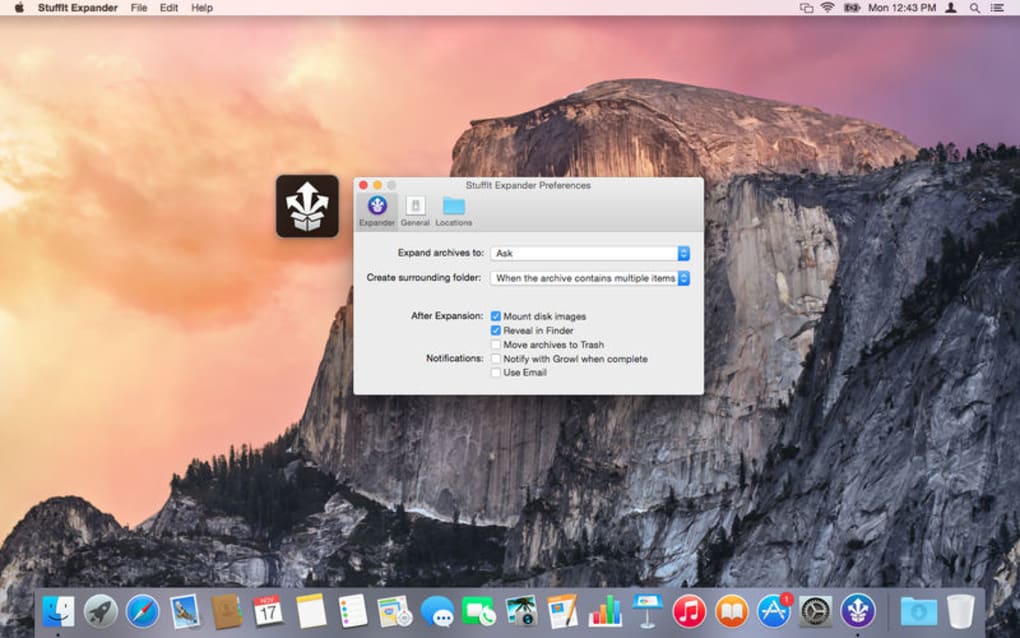
- Limited customization of extraction paths beyond default behavior.
- Linux support requires Wine, which may not be ideal for all users.
Frequently Asked Questions
Is StuffIt Expander 16 completely free?
Yes, the core extraction functionality is free. The developer offers optional donations to support future development, but there are no hidden costs or premium upgrades required to use the software.
Can I extract password‑protected archives?
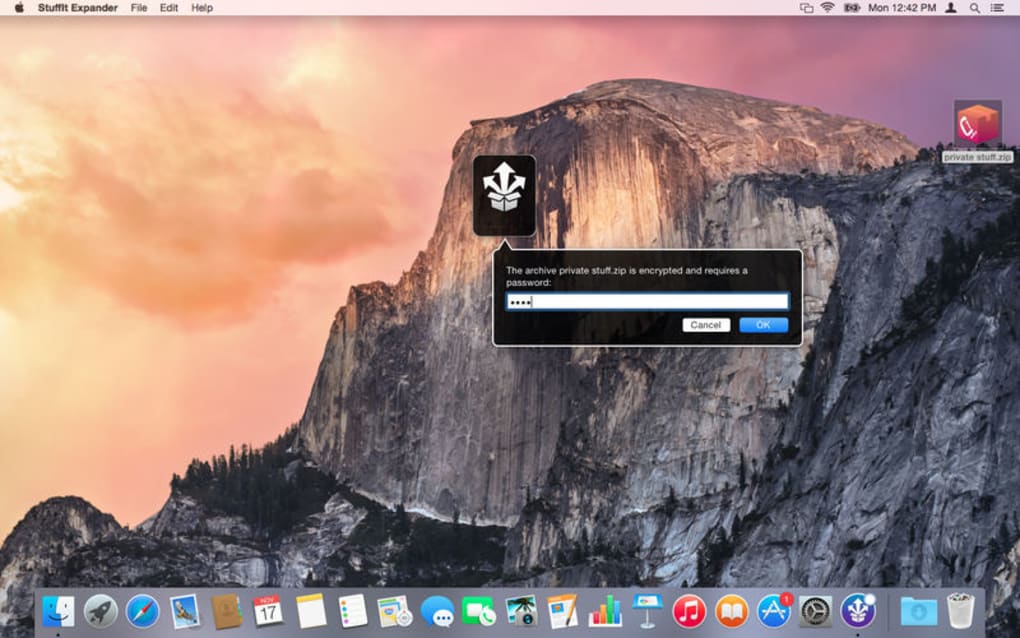
StuffIt Expander 16 supports password‑protected ZIP and RAR files. When you open a protected archive, the program prompts you to enter the password before extraction can begin.
Does the tool create its own archive format?
No. StuffIt Expander is solely an extraction utility. For creating archives, the developer offers a separate product called “StuffIt Deluxe,” which is a paid application.
Is there a portable version that runs without installation?
A limited portable version exists for Windows, but it lacks the context‑menu integration and automatic updates available in the full installer. The portable build is useful for USB‑based workflows.
How often are updates released?
The development team releases minor updates roughly every 2–3 months, focusing on security patches and added support for newer archive variants. Major version upgrades are less frequent, typically every 1–2 years.
Conclusion & Call to Action
In the crowded space of free archive extractors, StuffIt Expander 16 distinguishes itself by preserving support for the classic StuffIt format while offering a clean, cross‑platform experience for modern ZIP, RAR, and 7‑Z files. Its lightweight design, batch processing capability, and optional command‑line tool make it suitable for both casual users and IT professionals who need a reliable, secure way to unpack archives without juggling multiple utilities. Although it lacks a built‑in compression feature and may stumble on severely corrupted files, the overall value—especially considering the zero price tag—far outweighs these minor drawbacks. If you regularly encounter .sit or .sitx archives, or simply want a single, free solution for everyday extraction tasks, StuffIt Expander 16 is a solid choice.
Ready to simplify your file‑extraction workflow? Download StuffIt Expander 16 now and experience fast, secure decompression on Windows or macOS. Keep the software up to date to benefit from the latest security patches, and feel free to contribute a donation if you find the tool indispensable.







